


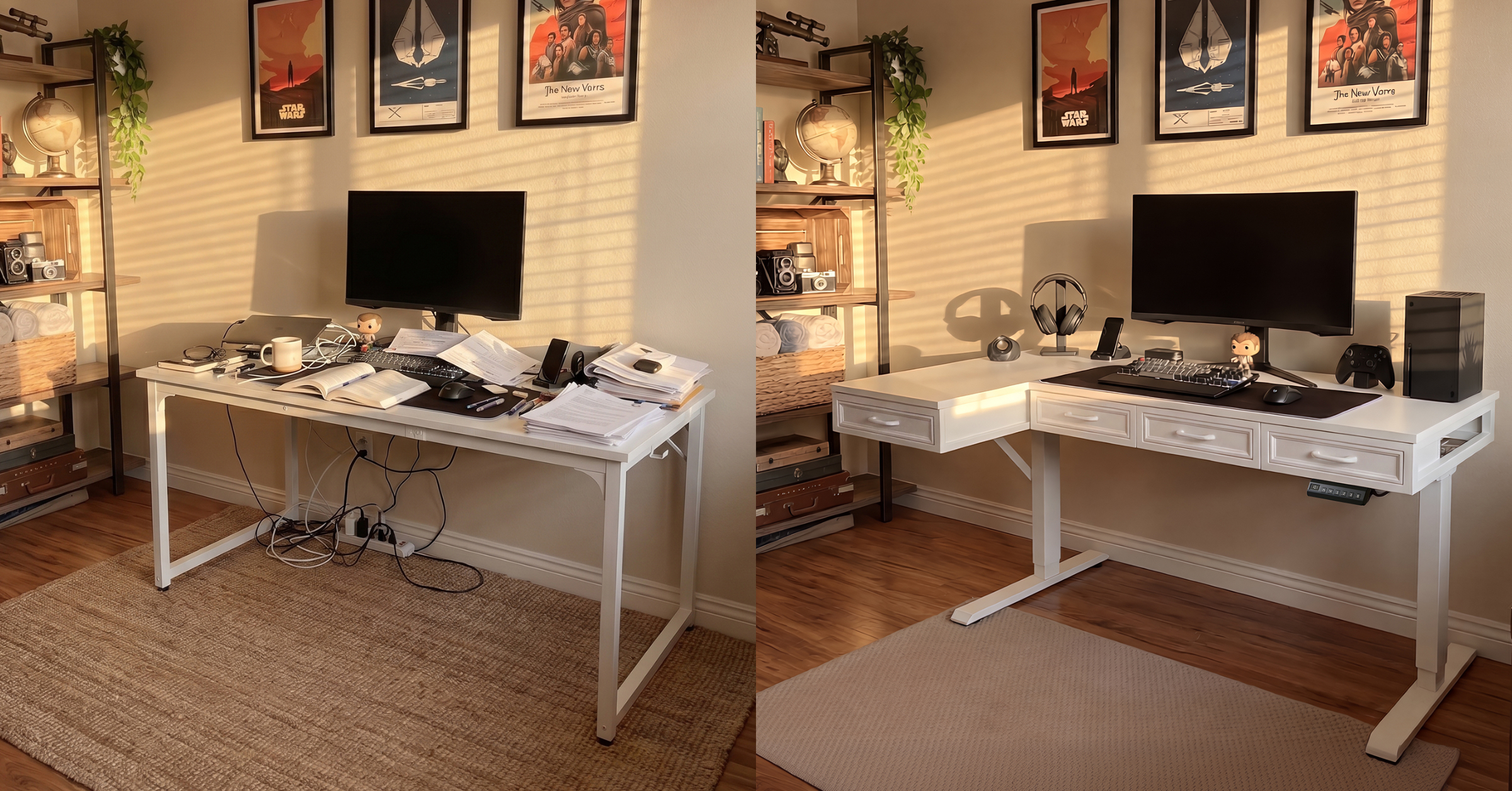
Before and after comparison of a workspace setup showing a cluttered desk versus an organized standing desk with built-in drawers and cable management.
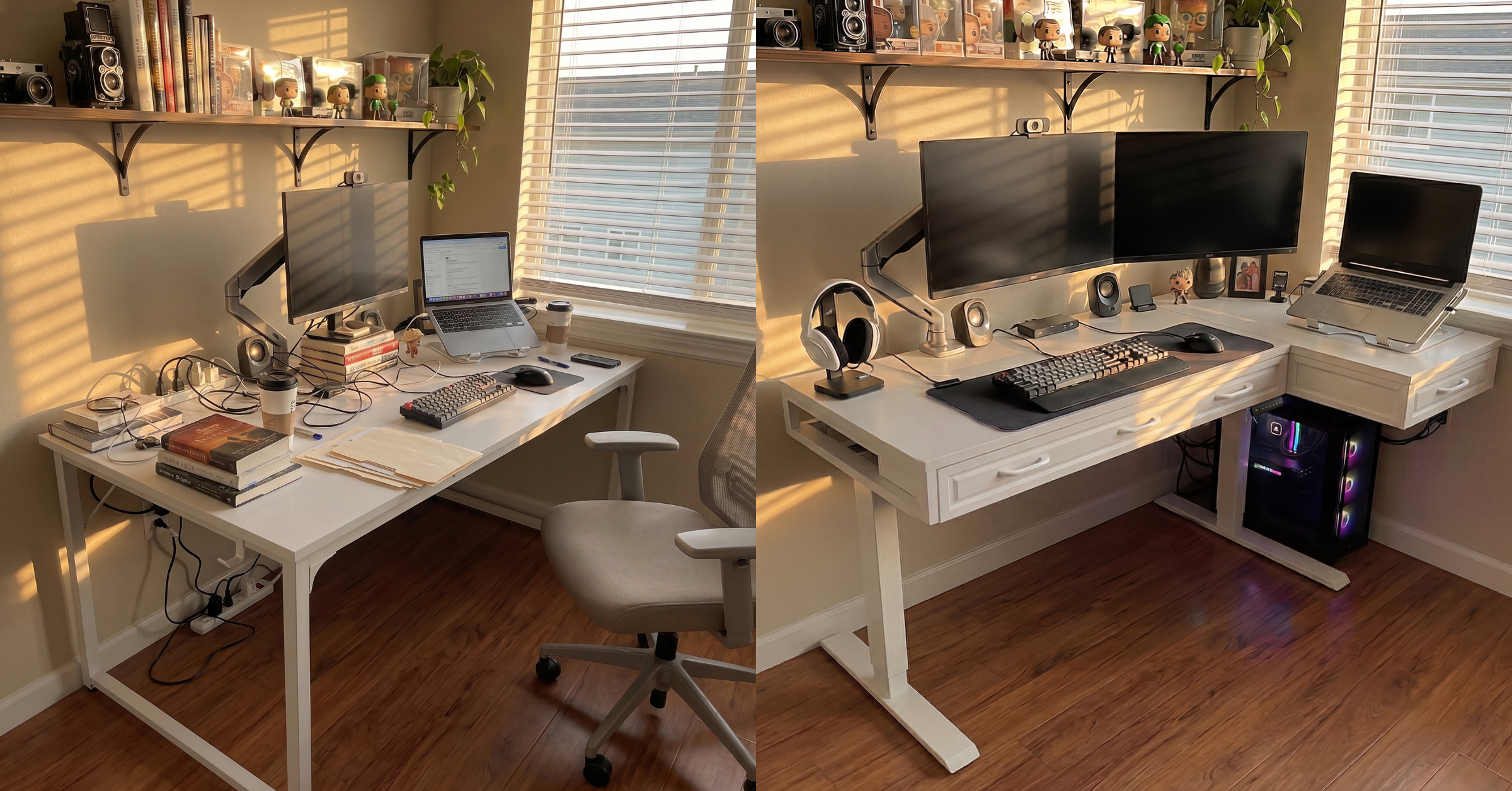
Before and after comparison of an L-shaped desk setup, showing a cluttered workspace transformed into an organized standing desk with dual monitors, drawers, and improved cable management.
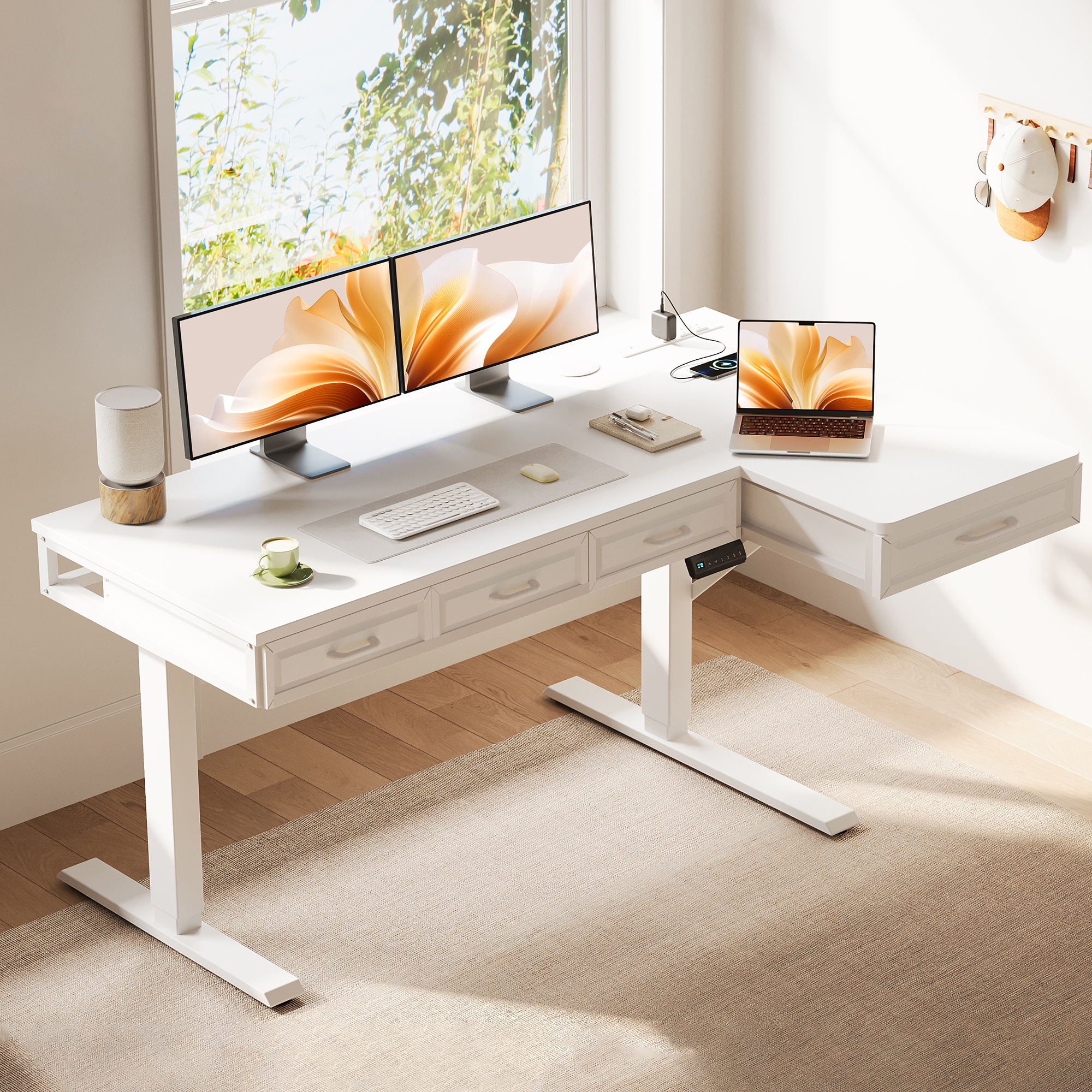
OffiGo 55 inch L-Shaped Electric Standing Desk with Wooden Drawers and Power Outlets
OffiGo publishes a storage-first guide for standing desks, outlining integrated storage, knee-space considerations and built-in power access.
CA, UNITED STATES, April 28, 2026 /EINPresswire.com/ — Many home office buyers invest in an electric standing desk to improve comfort and focus, only to find the same desktop clutter returning within days. Notebooks, chargers, adapters and small accessories often end up scattered across the work surface when storage and cable routing are treated as afterthoughts.
OffiGo, a brand focused on practical home office workstations, is highlighting a “built-in, not bolt-on” approach to standing desk design—combining integrated drawers, power access and workspace layout details intended to support day-to-day organization as users switch between sitting and standing.
Why “week two clutter” happens
Home office setups typically accumulate small items that are used frequently but have no dedicated home: charging cables, pens, sticky notes, external drives, headsets and meeting accessories. Over time, these items spread across the desktop because they are needed within arm’s reach.
At the same time, common upgrades meant to address clutter—like add-on drawer units or side cabinets—can create new issues. If a storage solution is too far back, too low, or interrupts leg clearance, it may be ignored. If charging requires reaching for a power strip on the floor, cables often remain visible and tangled. The result is a standing desk that technically adjusts in height but does not consistently support a clear work surface.
Built-in storage, not bolt-on accessories
OffiGo’s storage-first concept is designed around the idea that drawers and charging should be planned into the desk from the start. Instead of relying on external pedestals or after-market organizers, OffiGo integrates storage and power access into the workstation layout so users can put everyday items away quickly—especially during end-of-day cleanup.
This approach is reflected in OffiGo’s L-shaped standing desk category, which targets common home office constraints: limited room layouts, corner placement needs and multi-device work zones.
Example of implementation in L-shaped standing desks
OffiGo is spotlighting its 55-inch L-Shaped Electric Standing Desk with Wooden Drawers & Power, a height-adjustable corner workstation designed for home and office use. Key features include:
1. Four built-in wooden drawers intended for frequently used supplies and accessories, reducing reliance on extra furniture
2. Integrated power outlets with USB and Type-C, supporting charging directly from the desk surface
3. Electric height adjustment with presets, supporting sit-to-stand transitions across a range of working heights (approximately 29.9 inches to 46.1 inches)
4. Reversible L-shaped configuration, allowing left- or right-side orientation to fit different room layouts
5. Industrial steel frame designed for stability in daily use
By combining storage and charging access into the primary workstation, OffiGo aims to help users keep the desktop clear without requiring separate cabinets or carts that consume floor space.
How to evaluate storage and comfort in a standing desk
OffiGo recommends that buyers assess standing desks using three practical checks:
1. Drawers vs. cabinets: Drawers work best for small, high-frequency items that need fast “put-away” habits. Cabinet-style storage is better for bulk items like paper reams, printers or boxed peripherals.
2. Knee-space test: Built-in storage should not force users to sit too far back. Measure how close user sit to the front edge when typing and verify that drawers will not interfere with leg clearance.
3. Power planning: Integrated outlets and USB-C can reduce cable clutter, but buyers should still plan cable routing so cords do not cross leg paths or walkway areas.
How OffiGo compares with other brands buyers commonly consider
Standing desk shoppers often compare several brands depending on budget, aesthetics and how they plan to handle storage and charging.
HUANUO is commonly chosen for straightforward sit-stand functionality, with storage often handled through a separate drawer unit or add-ons depending on the model.
FlexiSpot is frequently considered for customization, offering multiple frame and desktop options that buyers pair with modular accessories.
Eureka Ergonomic tends to attract shoppers who want a more style-forward workstation look, with drawers and charging features appearing on select lines.
Bush Business Furniture is often associated with cabinet-heavy, traditional office layouts designed for paper- and filing-intensive workflows.
OffiGo’s approach is to make storage built-in, not bolt-on, integrating drawers and power access into the workstation so everyday items and charging can stay within reach without extra furniture.
Key Takeaways
Built-in drawers and integrated outlets can reduce desktop clutter more effectively than bolt-on organizers and add-on cabinets.
The OffiGo 55-inch L-shaped electric standing desk includes four wooden drawers and integrated power outlets with USB and Type-C.
L-shaped standing desks can maximize corner space and help separate work zones for multi-device home office setups.
When comparing standing desks, buyers should evaluate storage usability, knee clearance and cable routing—not just height adjustment.
About OffiGo
OffiGo – Professional Workspace Solutions. OffiGo designs home office workstations with a focus on practical organization, integrated power access and comfort-oriented layouts for daily use.
OffiGo Workspace Team
OffiGo – Professional Workspace Solutions
[email protected]
Visit us on social media:
Instagram
YouTube
X
Legal Disclaimer:
EIN Presswire provides this news content “as is” without warranty of any kind. We do not accept any responsibility or liability
for the accuracy, content, images, videos, licenses, completeness, legality, or reliability of the information contained in this
article. If you have any complaints or copyright issues related to this article, kindly contact the author above.

